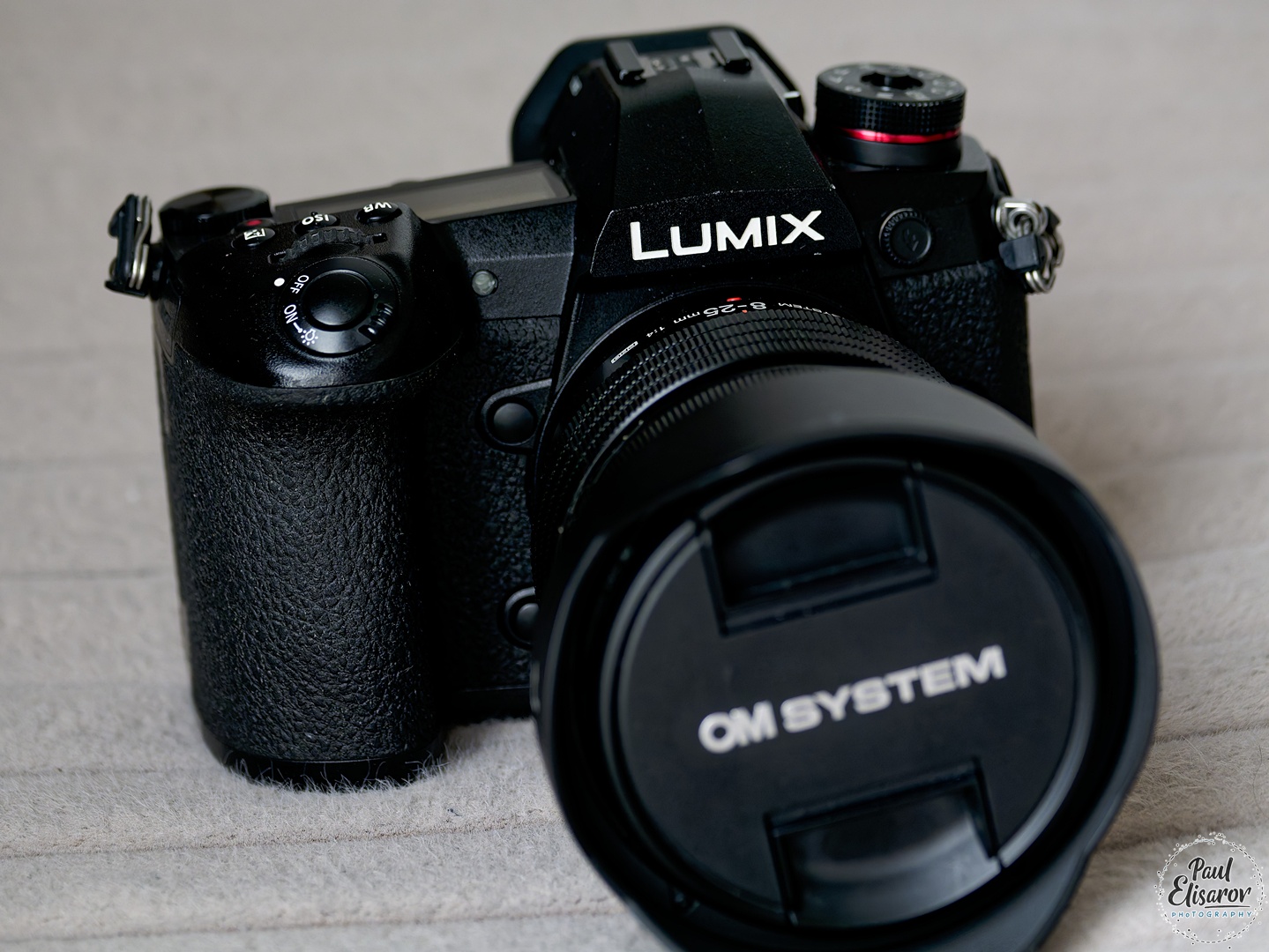
Panasonic G9, giant review 2026
Long ago, back in 2016, I attended an event held by Panasonic in Moscow (yes, those were the good old days), dedicated to the release of their latest camera — the Panasonic Lumix G9. Now it's 2026. The magnificent Panasonic G9 is 10 years old. I've been shooting with it for the past 2.5 years, ever since I switched to Micro Four Thirds. The camera is simply excellent, and so, even after losing all the articles on my website, I'm publishing this review again. Spoiler alert — I consider this camera one of the most cost-effective options in 2026! The review is long, compiled from two of my articles — from 2016 and 2024 — and updated now, in 2026. Once upon a time, in the early days of my digital photography journey, I used two Panasonic cameras — the FZ-10 and FZ-30 — so I feel a kind of kinship with this brand. When I learned that Panasonic had released a camera specifically tailored for photographers (not videographers), I became very interested. At the 2016 event, I had a chance to shoot a bit with the then-new G9, explore its menu, autofocus performance, etc. Let's start, of course, with its appearance. The G9 is quite large for a Micro Four Thirds camera, because instead of focusing on marketing gimmicks, Panasonic this time aimed to make the most photographer-friendly camera possible. For me, this approach was a breath of fresh air after being completely disappointed with Sony's ergonomic choices. The Panasonic G9 sits in the hand perfectly, like a glove. The grip is very comfortable and ergonomic, all fingers fit, and everything is within easy reach. Panasonic didn’t skimp on buttons, designing the camera like a true flagship. I should mention that I also held the GH5, and I can confidently say that the G9 is more comfortable for photographers.
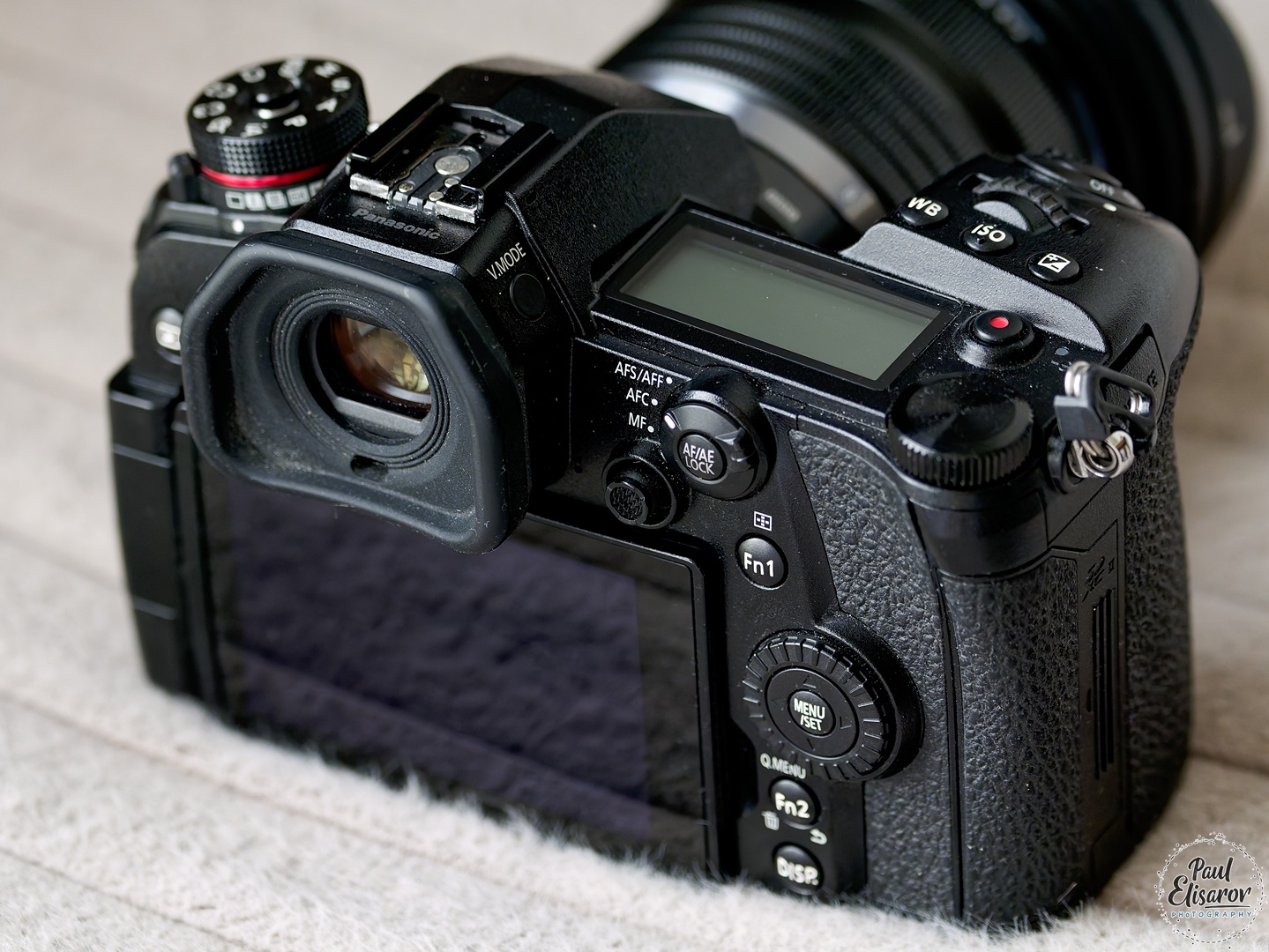 The power button is combined with the shutter release (unlike the GH5, by the way), which is the most convenient solution. The shutter button itself is very smooth and easy to press. At first, it felt too light — coming from Nikon, I accidentally pressed it a few times — but I quickly got used to it, so it’s not a drawback.
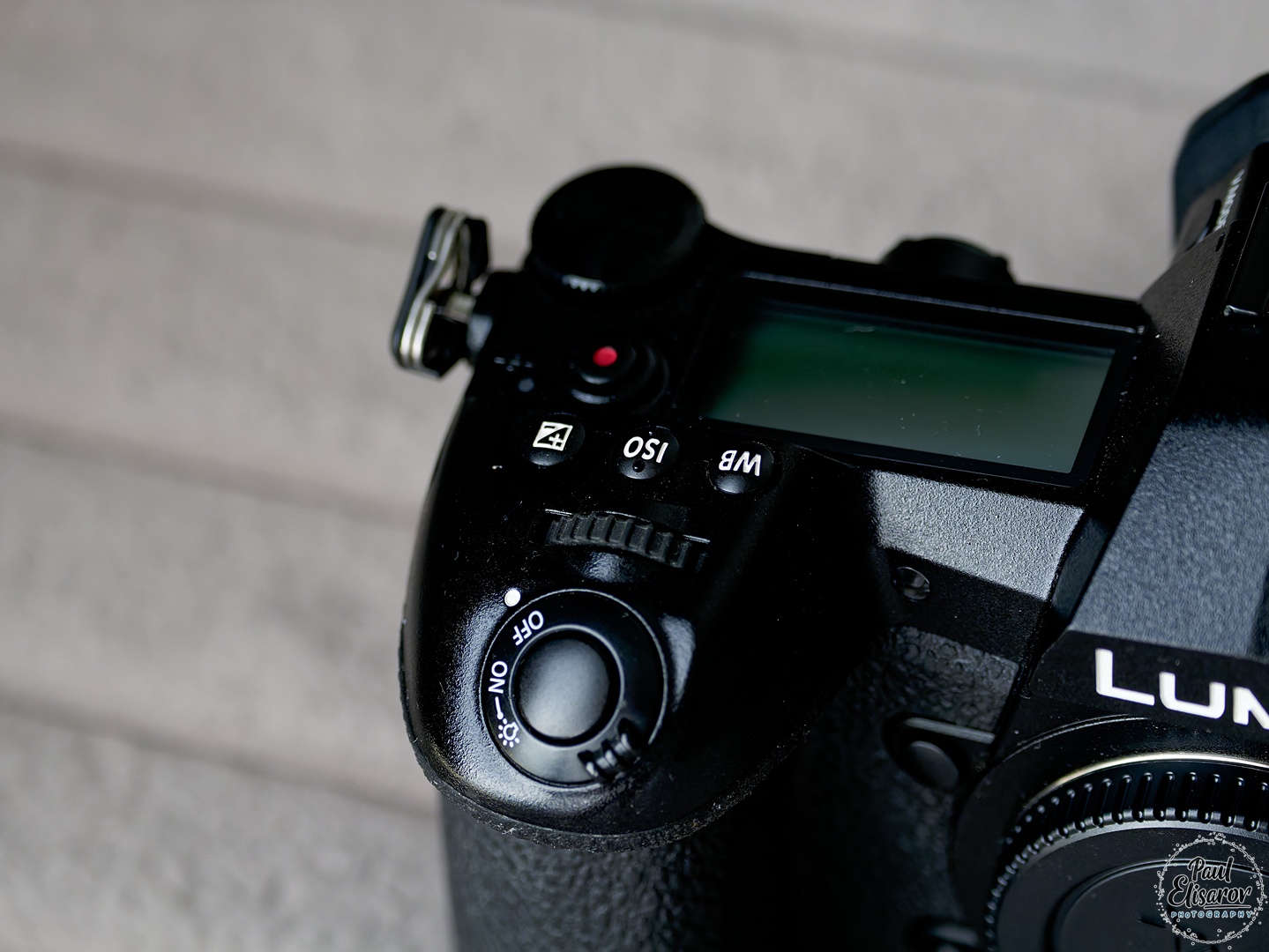 The camera has two control dials. The rear one is a large metal disc — I think that’s the right choice, as it’s more comfortable than classic dials. The front dial sticks out vertically near the shutter button. Not the most familiar design, but easy to get used to — it didn’t bother me much.
The mode dial is on the other side of the camera and is combined with the drive mode control. It has a central button, but unlike Sony’s (press-hold-turn), it’s a switch. If it’s pressed in, the dial won’t turn. If it’s not pressed, it turns freely. This is very convenient — better than having no lock and better than Sony’s implementation.
The camera has two control dials. The rear one is a large metal disc — I think that’s the right choice, as it’s more comfortable than classic dials. The front dial sticks out vertically near the shutter button. Not the most familiar design, but easy to get used to — it didn’t bother me much.
The mode dial is on the other side of the camera and is combined with the drive mode control. It has a central button, but unlike Sony’s (press-hold-turn), it’s a switch. If it’s pressed in, the dial won’t turn. If it’s not pressed, it turns freely. This is very convenient — better than having no lock and better than Sony’s implementation.
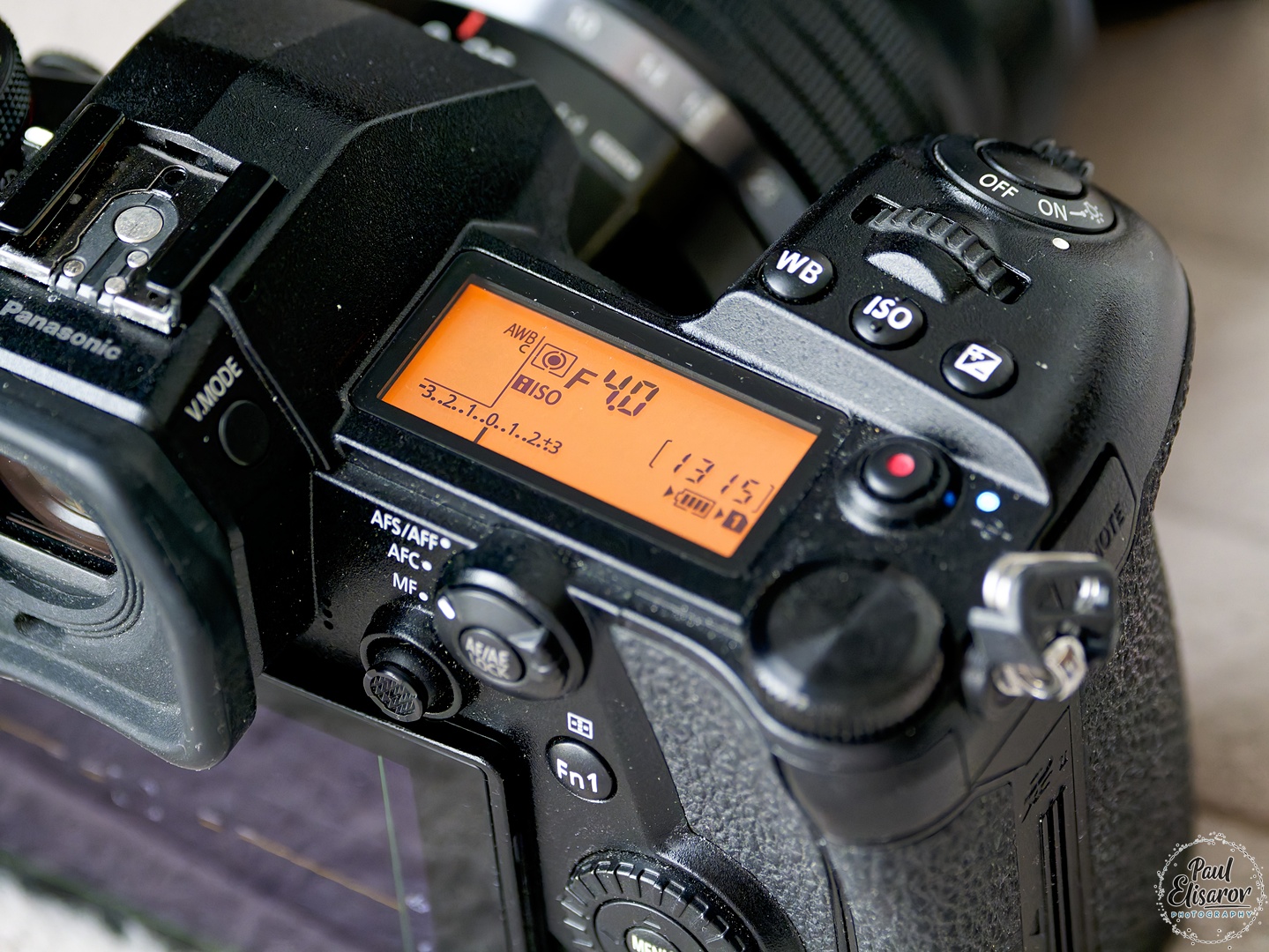
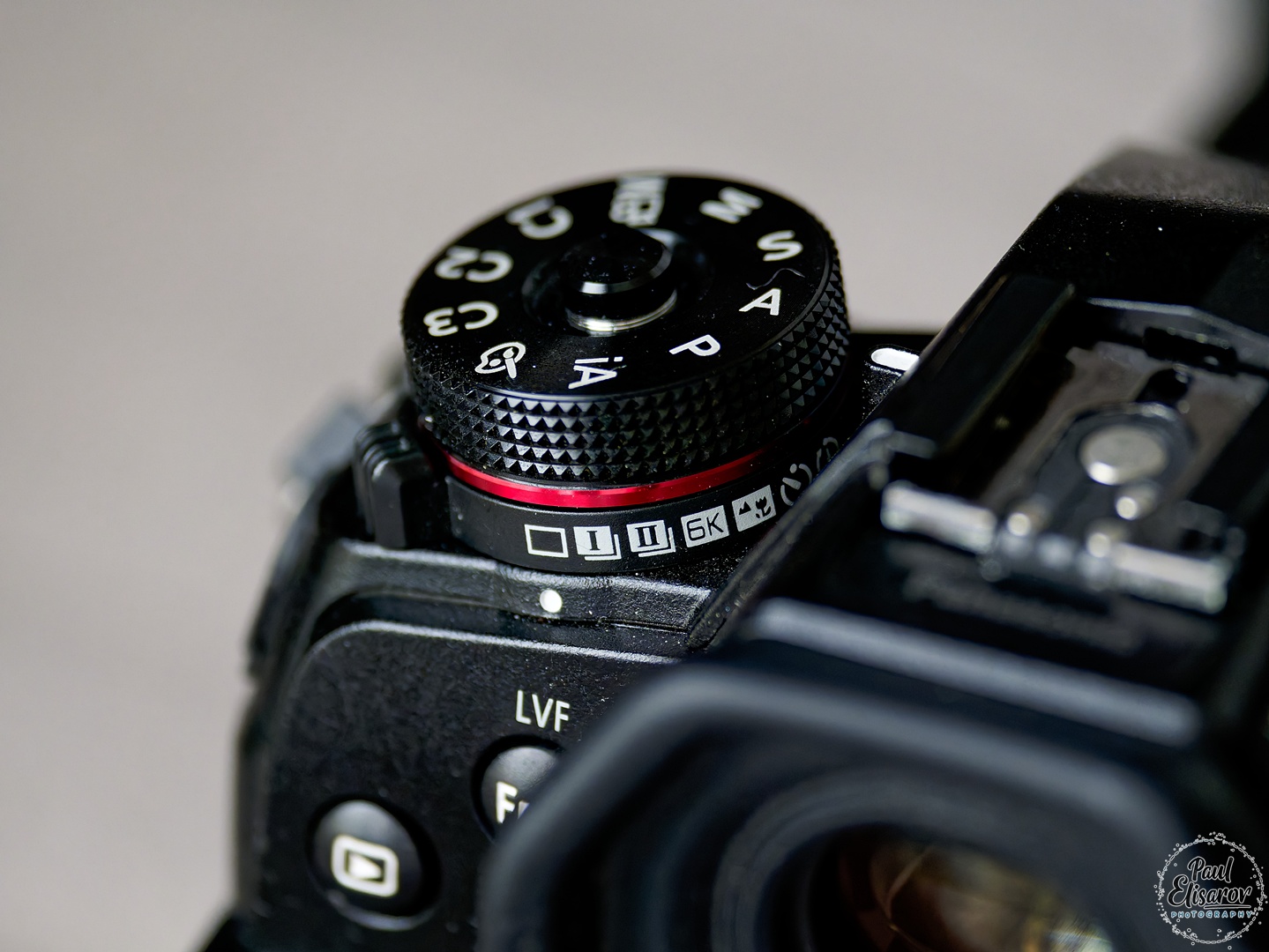 On top, the camera also has a full-fledged status LCD — a nod to photographers, for which I’m grateful. Behind the dial are the WB, ISO, and exposure compensation buttons. Well-placed and easy to find — I located them almost instinctively when needed. There’s no built-in flash.
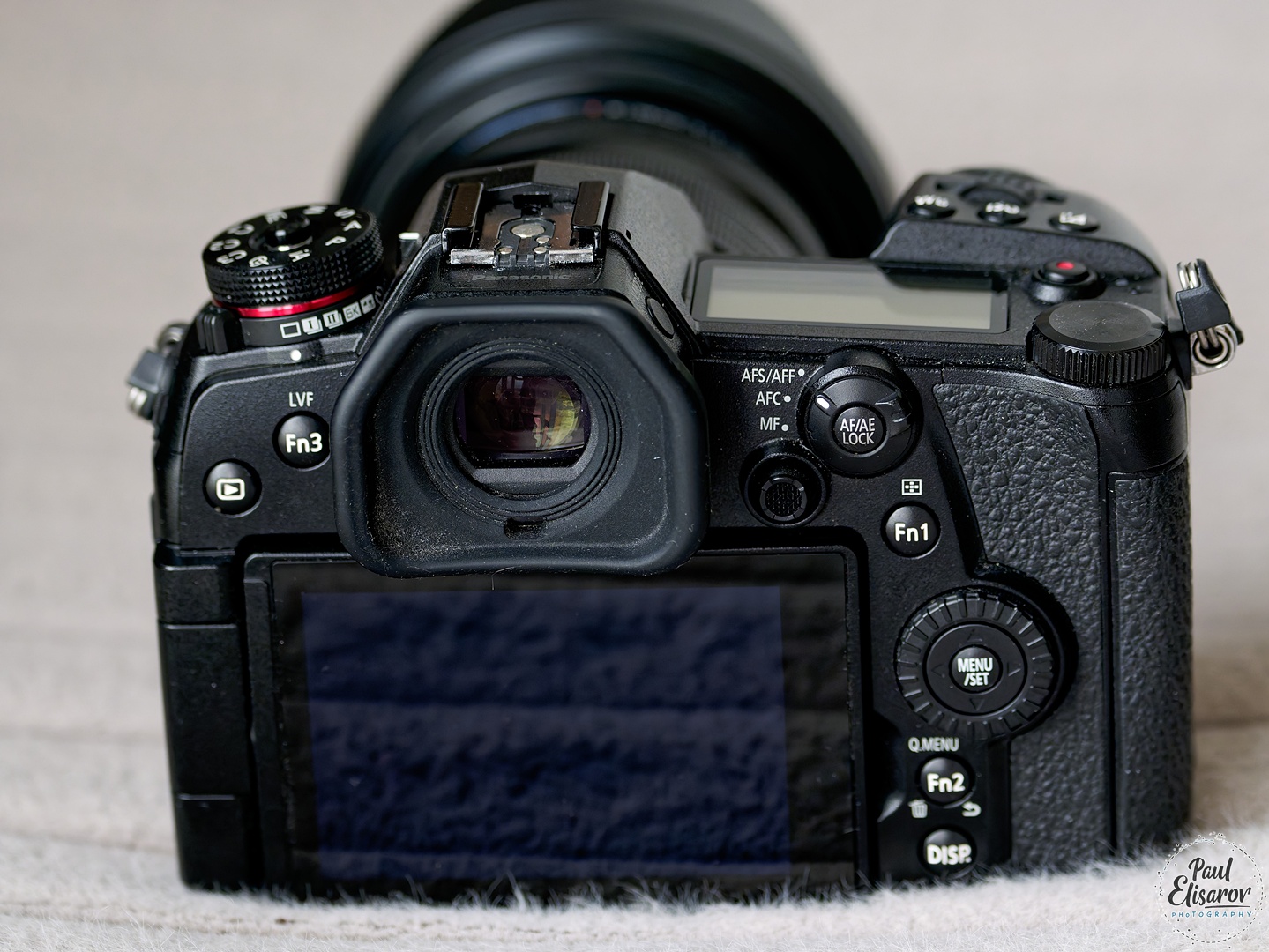
 On the back, the camera offers several customizable buttons. I didn’t have time to explore what could be assigned to them. By default, one switches AF modes, another toggles EVF/LCD, and the third changes the info display during shooting. What pleased me was that the Menu button isn’t a separate button like on most cameras, but the center button of the multi-selector. Very logical and convenient — I don’t understand why not all cameras do this, though it didn’t occur to me either, and at first I looked for the menu button elsewhere.
 On the front panel, there’s a small switch between mechanical and completely silent electronic shutter. Speaking of the shutter — even the mechanical one in the Panasonic G9 is very quiet. It literally “whispers,” unlike Sony’s mirrorless cameras, which still “clap,” and of course it’s much quieter than any DSLR. The minimum shutter speed with the mechanical shutter is 1/8000s — as it should be on a flagship. The electronic shutter can go up to 1/32000s.
For framing, you can choose between an excellent-quality viewfinder or an equally excellent fully articulating touchscreen. The viewfinder looked great in 2016 and still looks great in 2025. The touchscreen is fully functional — not only can you move the focus point, but you can also navigate the menu. It can even be used as a touchpad to move the focus point while using the viewfinder.
The camera also has a joystick for moving the focus point. Great feature, but its placement felt awkward — it’s too far back, and you have to stretch your thumb to reach it. Still, it works well, and your finger doesn’t slip off once you get there.
Well, that covers the ergonomics, which in my opinion are excellent. Now let’s talk about my first impressions of the Panasonic DMC-G9’s autofocus.
The AF zones cover a significant portion of the frame, but not the entire area — leaving large strips on the edges. In this regard, the G9 lags slightly behind Sony’s ever-present AF, but not critically.
On the front panel, there’s a small switch between mechanical and completely silent electronic shutter. Speaking of the shutter — even the mechanical one in the Panasonic G9 is very quiet. It literally “whispers,” unlike Sony’s mirrorless cameras, which still “clap,” and of course it’s much quieter than any DSLR. The minimum shutter speed with the mechanical shutter is 1/8000s — as it should be on a flagship. The electronic shutter can go up to 1/32000s.
For framing, you can choose between an excellent-quality viewfinder or an equally excellent fully articulating touchscreen. The viewfinder looked great in 2016 and still looks great in 2025. The touchscreen is fully functional — not only can you move the focus point, but you can also navigate the menu. It can even be used as a touchpad to move the focus point while using the viewfinder.
The camera also has a joystick for moving the focus point. Great feature, but its placement felt awkward — it’s too far back, and you have to stretch your thumb to reach it. Still, it works well, and your finger doesn’t slip off once you get there.
Well, that covers the ergonomics, which in my opinion are excellent. Now let’s talk about my first impressions of the Panasonic DMC-G9’s autofocus.
The AF zones cover a significant portion of the frame, but not the entire area — leaving large strips on the edges. In this regard, the G9 lags slightly behind Sony’s ever-present AF, but not critically.
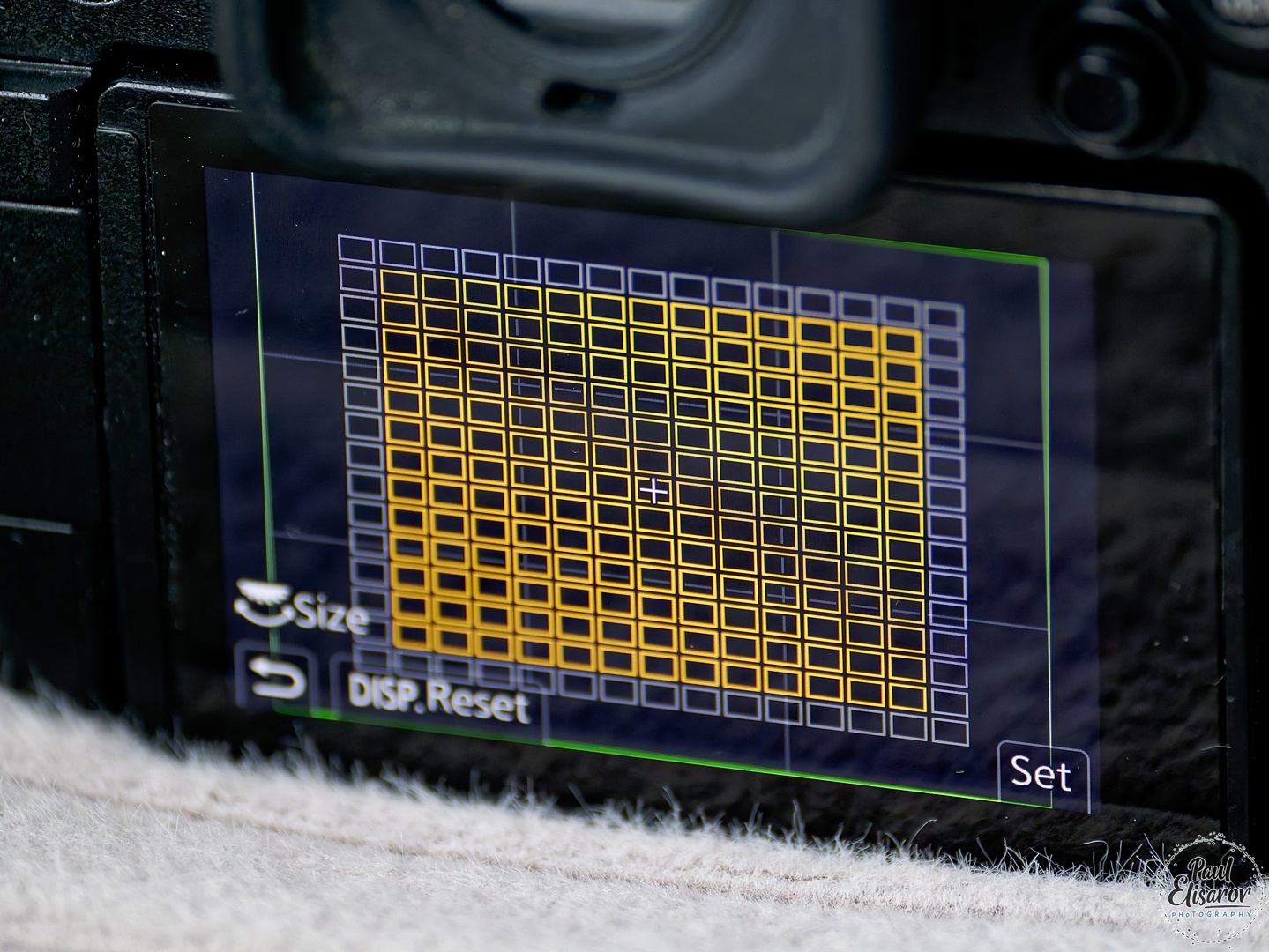 The AF has five modes — wide, all points, large square zone, large circular zone, single point (shown as a cross), and face/eye detection. I tried the wide modes and realized they’re unsuitable for portrait photography, as you have no control over where the camera focuses — it’s instant, but unpredictable.
 When I moved to a better-lit model, I realized manually moving the AF point was tedious, so I tried face detection. Back in 2016, this was a novelty. It’s incredibly convenient — a dream for portrait photographers. The camera sees the face, outlines it with a square, and marks the nearest eye with a thin cross. It works flawlessly, almost never losing the subject, and is on par with Sony’s A7III.
 The camera shoots 20 fps with full AF — which was insane in 2016. Very fast. For sports photographers who can’t afford the Sony A7III, or who value the benefits of a smaller sensor — this camera was a godsend.
 The automatic white balance on the Panasonic G9 is excellent — even better than on my Nikon, which I once thought was far superior to Sony’s. The G9 handled WB perfectly in horribly mixed lighting — fluorescent lamps, flash modeling lights, and window light.
 That’s about it for my first impressions of the Panasonic Lumix DMC-G9. Back in 2016, that was the extent of my experience with this excellent camera. But fate had it that in 2024, the G9 became my main camera! And from here on, the review contains more recent information — from 2024 and 2025. Keep in mind that the G9 received a HUGE number of firmware updates that significantly improved it. So…
First, let’s finally look at the specs of our hero. So, what is the Panasonic G9 like, considering all the updates it received over its lifetime?
That’s about it for my first impressions of the Panasonic Lumix DMC-G9. Back in 2016, that was the extent of my experience with this excellent camera. But fate had it that in 2024, the G9 became my main camera! And from here on, the review contains more recent information — from 2024 and 2025. Keep in mind that the G9 received a HUGE number of firmware updates that significantly improved it. So…
First, let’s finally look at the specs of our hero. So, what is the Panasonic G9 like, considering all the updates it received over its lifetime?
- Price $1699 (body only, at launch)
- Price $1000–$1200 (body only, new, in 2025 — yes, still available)
- Price $550 (body only, used, in 2025, in excellent condition)
- Sensor resolution 5184 x 3888
- Aspect ratios 1:1, 4:3, 3:2, 16:9
- Megapixels 20
- Actual megapixels 22
- Sensor size Four Thirds (17.3 x 13 mm)
- ISO Auto, 200–25600 (expandable to 100–25600)
- Stabilization Sensor-shift, works with Power OIS in lenses
- Stabilization effectiveness 6.5 stops, 7.5 with some lenses
- Autofocus DFD, Contrast Detect
- Number of focus points 225
- Advanced AF modes People, face, eye, animal detection
- Screen Articulating, 3”, 1.04 million dots
- Touch screen Yes
- EVF Electronic, 100%, 1.66× (0.83× 35mm equiv.), 3.68 million dots
- Max shutter speed 60 sec
- Min shutter speed 1/8000 sec
- Min shutter speed with electronic shutter 1/32000 sec
- Burst speed 20.0 fps
- Pre-burst mode Yes
- Exposure compensation ±5 (at 1/3 EV steps)
- Bracketing Exposure, White Balance, Focus
- In-camera focus stacking Yes
- In-camera timelapse Yes
- In-camera panorama No
- In-camera HDR Yes
- Video: Format MPEG-4, AVCHD, H.264
- 3840 x 2160 @ 60p / 150 Mbps, MP4, H.264, Linear PCM
- 3840 x 2160 @ 30p / 100 Mbps, MP4, H.264, AAC
- 3840 x 2160 @ 23.98p / 100 Mbps, MP4, H.264, AAC
- 1920 x 1080 @ 60p / 28 Mbps, MP4, H.264, AAC
- 1920 x 1080 @ 30p / 20 Mbps, MP4, H.264, AAC
- 1920 x 1080 @ 60p / 28 Mbps, AVCHD, MTS, H.264, Dolby Digital
- 1920 x 1080 @ 60i / 24 Mbps, AVCHD, MTS, H.264, Dolby Digital
- 1920 x 1080 @ 60i / 17 Mbps, AVCHD, MTS, H.264, Dolby Digital
- 1920 x 1080 @ 23.98p / 24 Mbps, AVCHD, MTS, H.264, Dolby Digital
- Storage Dual SD/SDHC/SDXC slots (UHS-II supported)
- USB USB 3.0 (5 GBit/sec), not USB Type-C
- USB charging Yes
- HDMI Yes
- Microphone port Yes
- Headphone port Yes
- Wireless Wi-Fi, BT
- Weather sealing Yes
- Battery DMW-BTC13 lithium-ion battery
- Average battery life 400 shots
- Weight (with battery) 658g









- Medium speed with mechanical shutter
- High speed with mechanical shutter
- Super high speed with electronic shutter
- Even faster super high speed with electronic shutter
- Super high speed with electronic shutter and pre-buffer
- Even faster super high speed with electronic shutter with pre-buffer
- Medium – 5 fps
- High – 12 fps
- Super high – 15 fps (not sure)
- Even faster – 20 fps










2.1K views